It is possible to give internet access to your HPI INS. Typically the objective is to enable the embedded NTRIP Client to receive correction data, but it can also be helpful for other purposes, such as enabling the firmware auto-update check to run.
Topology
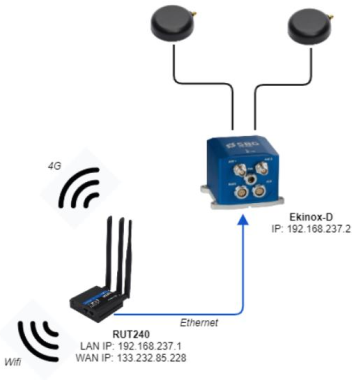
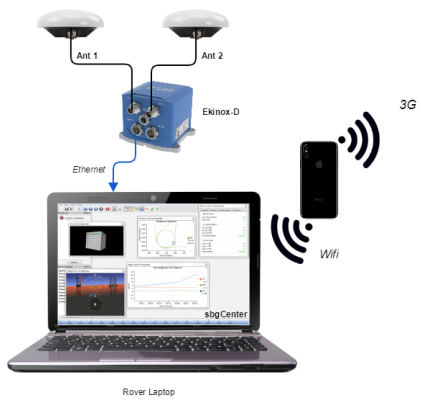
You need to know the network configuration, and which equipment on the network will provide internet access to other equipment.
For instance:
A router that is the central point to all equipment connected on its subnetwork.
A Laptop that is connected to a mobile hotspot by WiFi, and forwards Internet connection over Ethernet to the HPI.
If your laptop needs to forward the internet connection from one of its network (for instance WiFi) to an other one (for instance Ethernet), then there might be a windows configuration required as well.
Configure your HPI
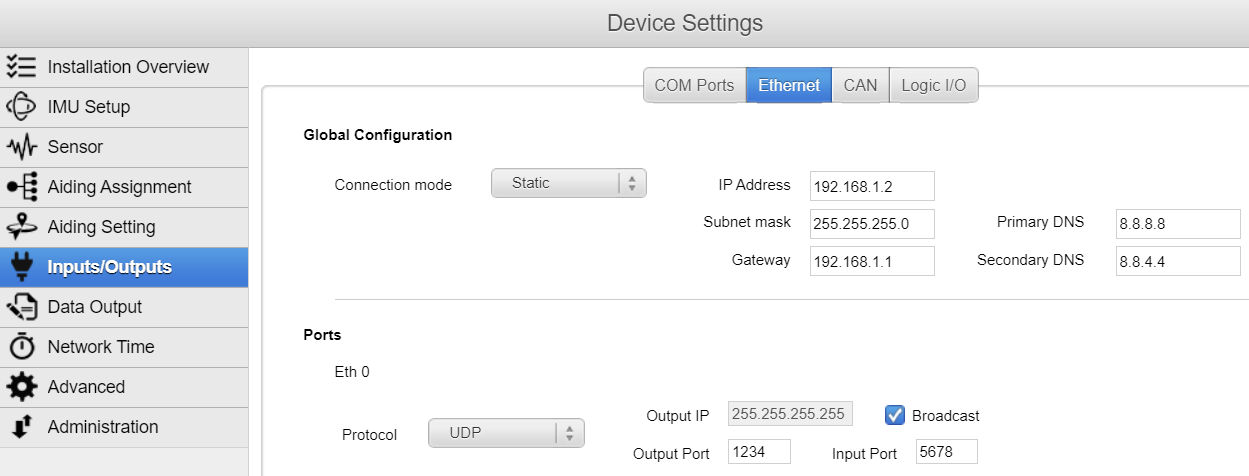
Make sure your HPI unit got a correct IP address to be part of the subnetwork.
Define the Gateway as the IP address of the equipment giving your access to Internet. For instance, if the router IP is 192.168.1.1, this should be defined in the Gateway of the INS.
Check
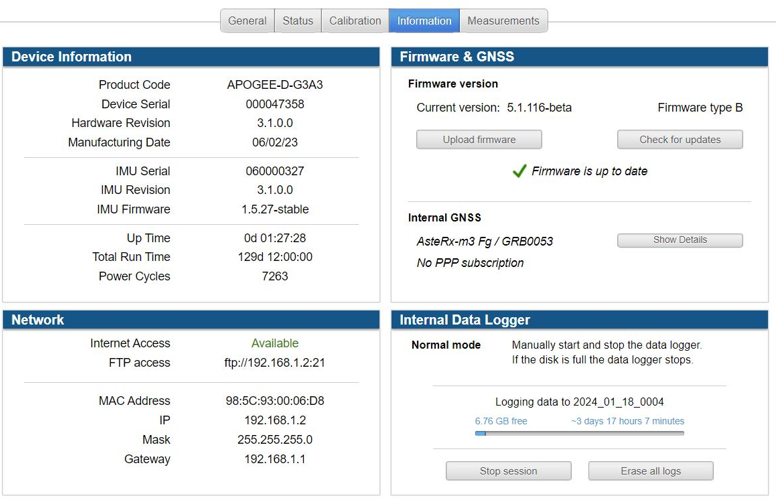
You can monitor if you have internet access in the Information Tab of the web interface: