The monitoring points are used to measure the data out of the Kalman Filter at defined locations on your vehicle. They are also used to realign the outputs to the reference frame of another system such as a Lidar, or a camera for example.
This article shows how to configure them on the SBG INS products.
Configuration
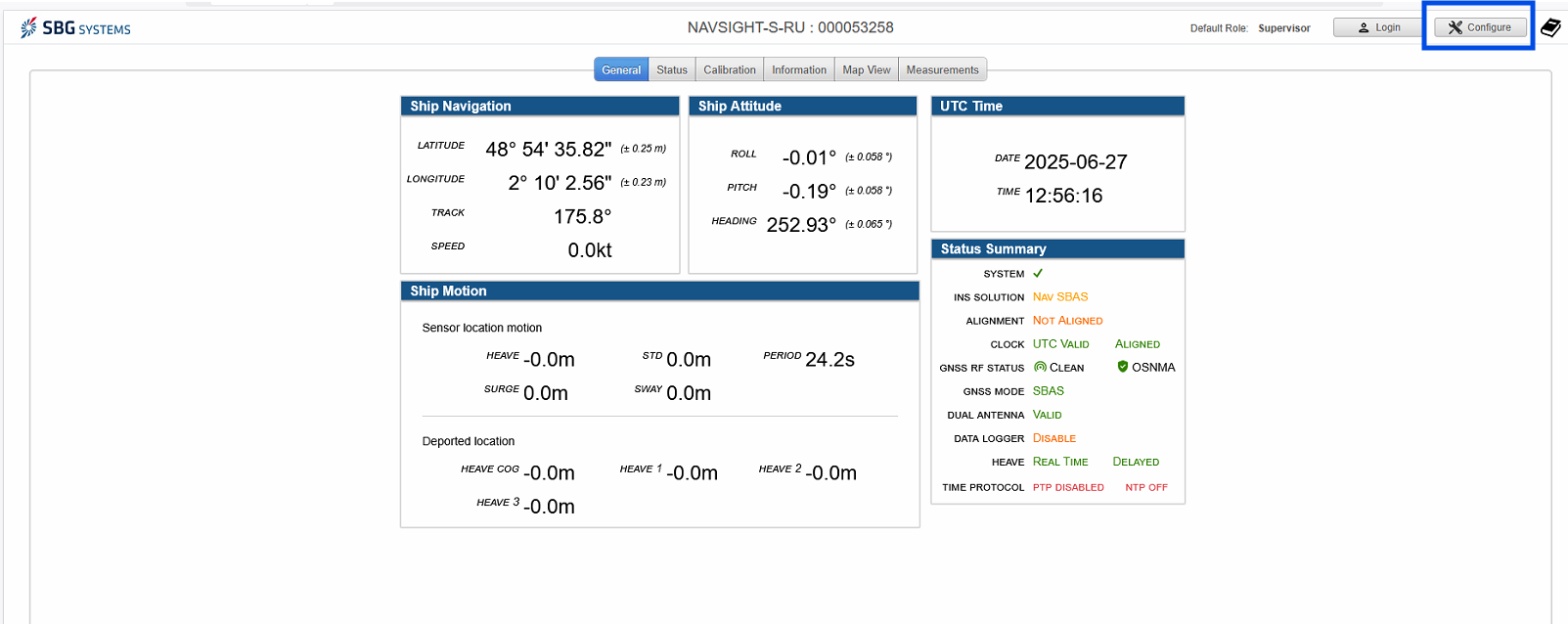
You have to access first to the web interface and then select 'configure'
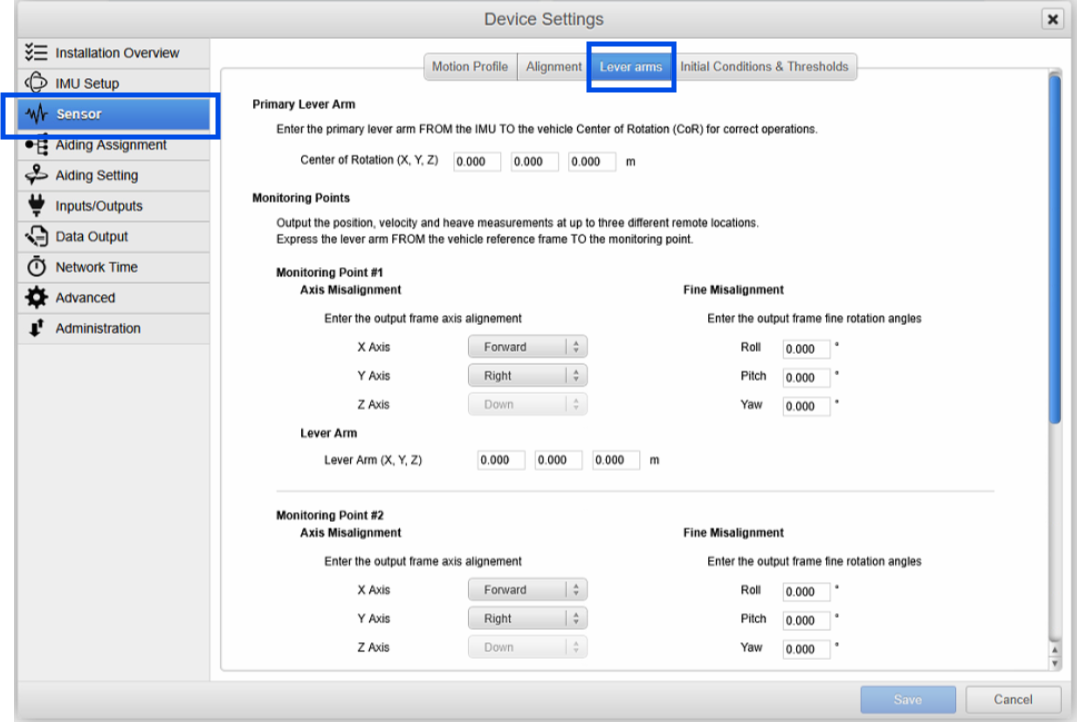
Secondly, you have to select the sensor tab and then lever arm, as shown in the following picture:
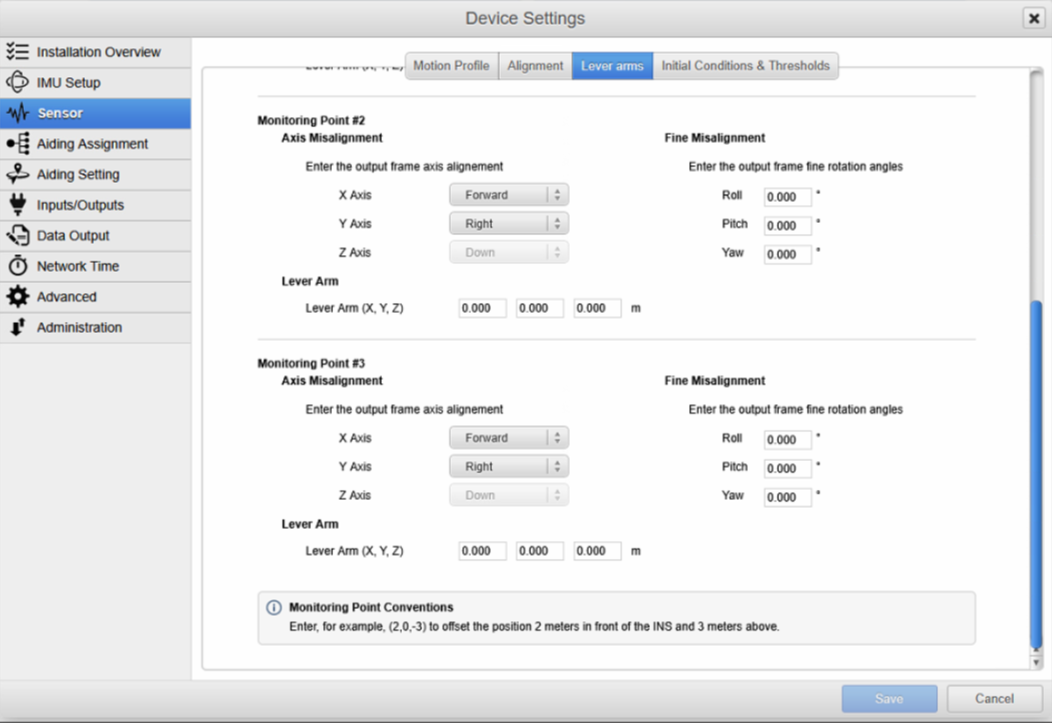
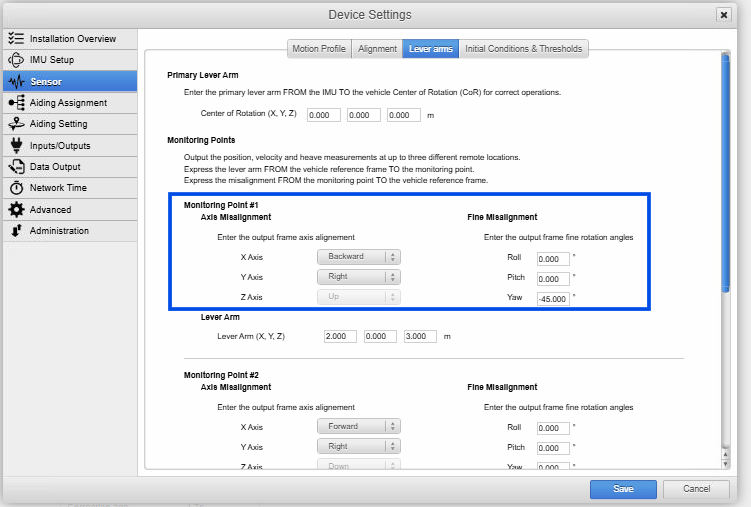
Three different monitoring points are available. For each point, the frame axis misalignment and the fine misalignment angles have to be defined.
The lever arms should be entered from in the vehicle reference frame FROM the IMU reference point TO the monitoring location.
The rotations should be entered FROM the output frame TO the vehicle frame.
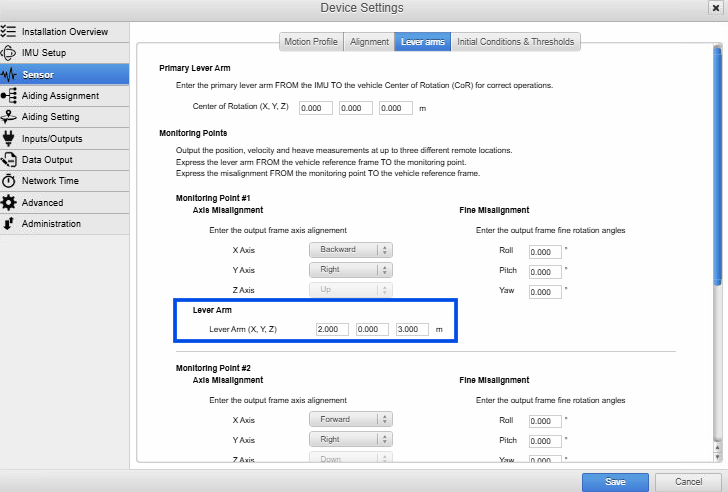
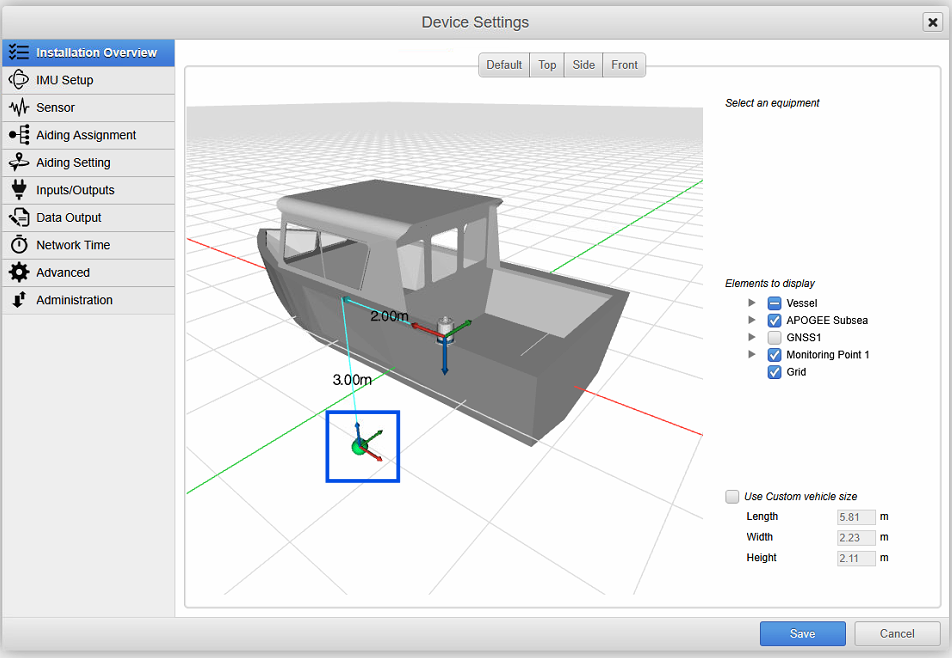
If a monitoring point lever arm is configured as follows:
Since the lever arm of the monitoring point is given from the IMU reference point to the monitoring point in the vehicle reference frame, it will be as follows :
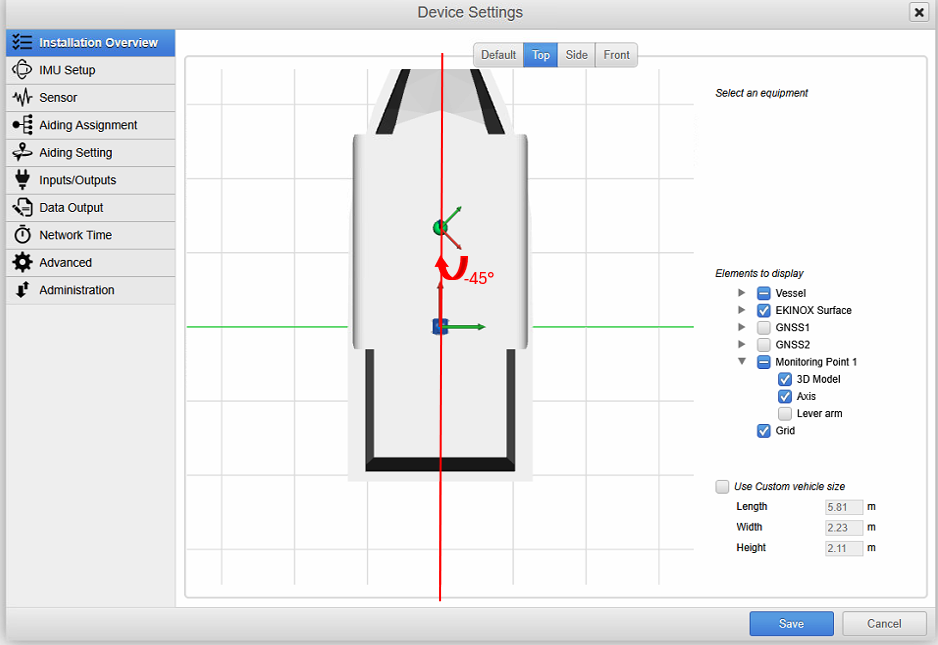
If a rotation angle is added to the previous configuration:
As the rotation is entered from the output frame to the vehicle frame, the orientation will be as follows to go back to the (backward, right, up) frame configured: