Download PDF
Download page Use SBG ROS2 driver.
Use SBG ROS2 driver
The sbg_ros2_driver is the official ROS 2 driver for integrating SBG Systems inertial sensors (IMU, AHRS, INS/GNSS) into the ROS ecosystem.
It provides a complete interface between SBG devices and ROS nodes, publishing all navigation data in real time: IMU measurements, attitude, velocity, GNSS position, filter status, and more. Along with access to advanced features such as magnetic calibration and device configuration directly from ROS.
This documentation aims to guide users step-by-step, from installing the driver to reading your first ROS topics, configuring via YAML files, or our easy to use API interface, launching calibration routines, and integrating SBG data into a broader robotic architecture.
Installation
Standard ROS2 installation
Humble
sudo apt-get install ros-humble-sbg-driver
Galactic
sudo apt-get install ros-galactic-sbg-driver
- Foxy
sudo apt-get install ros-foxy-sbg-driver
Building from source
Dependencies
- Robot Operating System (ROS2)
- sbgECom C Library (embeds v4.0.1987-stable - compatible with ELLIPSE firmware 2.5 and above)
Building
- Clone the repository (use a Release version)
- Build using the ROS2 colcon build system
cd colcon_ws/src
git clone https://github.com/SBG-Systems/sbg_ros2_driver.git
cd sbg_ros2_driver
rosdep update
rosdep install --from-path .
cd ../..
colcon build
source install/setup.bash
INS configuration
The configuration of SBG INS units can be done through a YAML file. There is a file specific for UART connection devices sbg_device_uart_default.yaml and another one for udp communication sbg_device_udp_default.yaml, that will concern High Perfomance INS. Config file examples are also available in the driver, to simplify the configuration of Ellipse units.
Another way of configuring the unit would be by using the API command-line interface, by simply providing a JSON file:
sbgEComApi -s /dev/ttyUSB0 -r 921600 /api/v1/settings -p -B config.json
Enable Ros standard messages
To enable ROS standard topics, it is necessary to use the YAML file, to configure the elements ci-dessous:
- Enable the configuration with ROS.
- Enable ROS odometry messages.
- Select the the right odometry fram ID for : the message itself, the base one and the initial frame.
- Enable use_enu.
Send RTCM corrections
To send RTCM corrections to SBG units, please refer the Lord MicroStrain driver, that provides an ntrip server to send RTK corrections.
It is necessary to subscribe to the topic, using the configuration file of the INS and provide a name space.
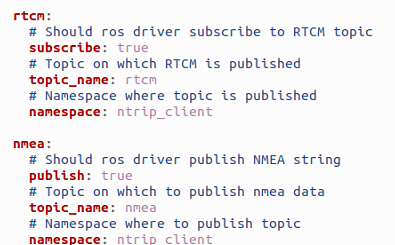
And from ntrip_client driver, it is also necessary to provide the same name space when launching the driver
ros2 launch ntrip_clien ntrip_client_launch.py namespace:= ntrip_client mountpoint:= OUIL
Launch the driver
sbg_device_launch.py file, launches the sbg_device node to handle the received data, and load the
sbg_device_uart_default.yamlfor configuration.sbg_device_mag_calibration_launch.py file, launches the sbg_device_mag node to calibrate the magnetometers, and load the
ellipse_E_default.yamlconfiguration.
ros2 launch sbg_driver sbg_device_launch.py
Health monitoring
To check that everything works well, the easiest way would be to follow the next steps:
- Open a new shell and source
- Check whether the list of topics is consistent with the nodes that have been launched.
ros2 topic list
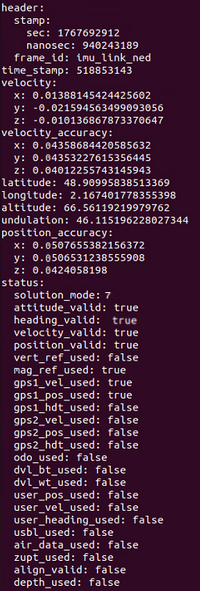
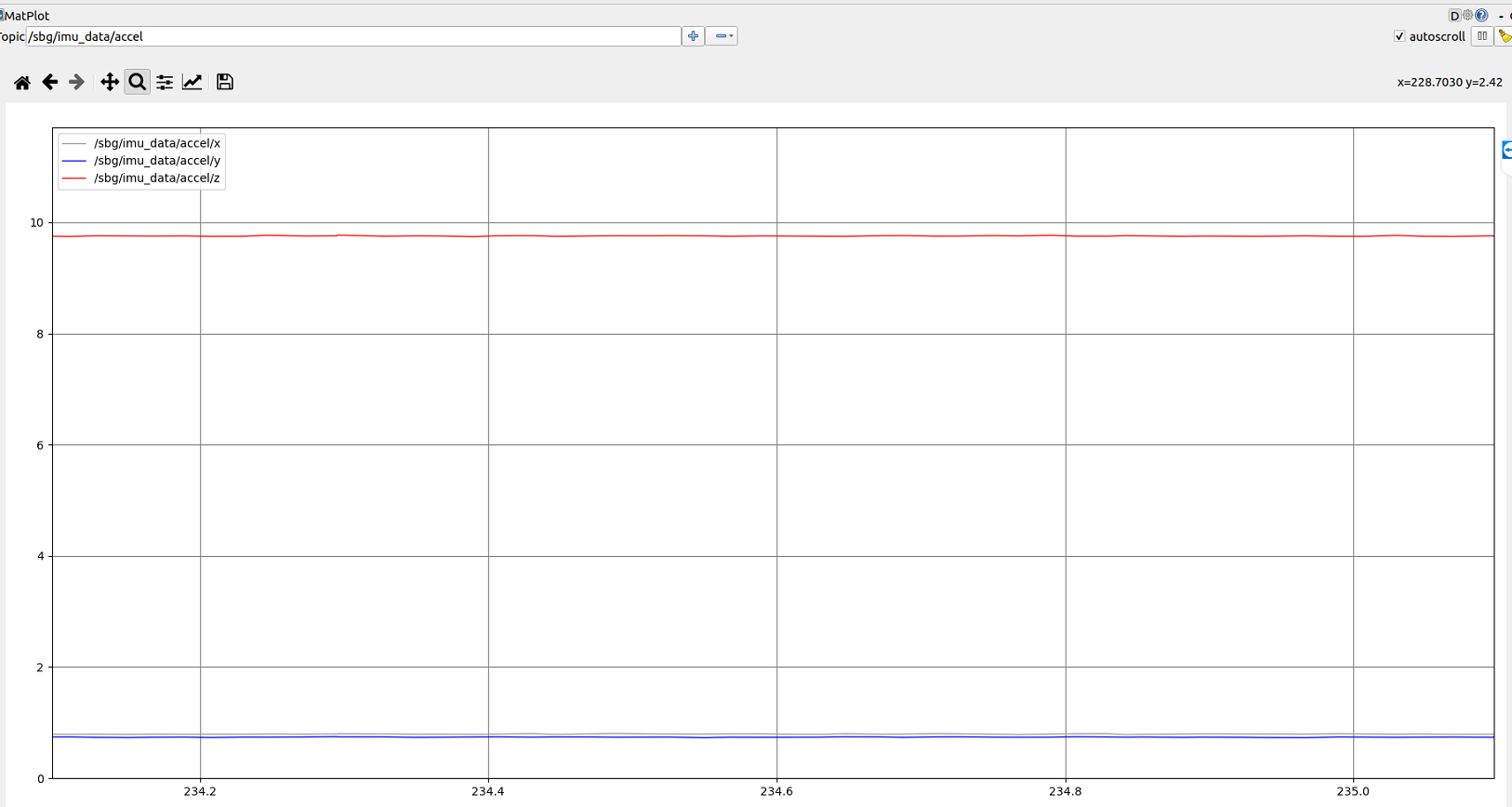
- Display few messages to check that the unit is well initialised and there is no inconsistent values.
ros2 topic echo /sbg/ekf_nav
ros2 topic echo /sbg/ekf_euler
ros2 topic echo /sbg/gps_pos
SBG units, offer many status that gives good indications about the state of the unit, each one of them is described in our firmware documentation and on our GitHub page.
Health monitoring
Once all the required drivers were launched, it's always a good habit to check the health of the unit, to confirm that that the installation, devices and GNSS reception are all good. The best way to see that, would be by displaying sbg topics, such as /sbg/ekf_nav, /sbg/ekf_euler or /sbg/gps_pos. Each navigation message, provides additionally important status to monitor during an acquisition;