Download PDF
Download page Air Data Integration.
Air Data Integration
This operating handbook aims to guide users for air data sensor installation and configuration. Starting from firmware 6.0, the Fixed Wing UAV and the airplane motion profiles are offering performance improvement when using external air data informations.
Usable information are composed of a barometric altitude and true airspeed calculated externally by an air data computer.
Data Format
In order to be compatible with our product, the air data aiding must output in sbgECom format. The SBG_ECOM_LOG_AIR_DATA (36) message is described in firmware documentation.
Some commercial autopilot (Pixhawk hardware for example) are able to output sbgECom format when using our dedicated driver on our GitHub page. For more information, check our dedicated How to.

Only Fixed Wing UAV and Airplane profile will allow you to add Air Data Aiding. Other motion profile (Helicopter or UAV) are also allowing to activate Air Data but for log only (it won't be used in the Kalman filter).
Mechanical installation
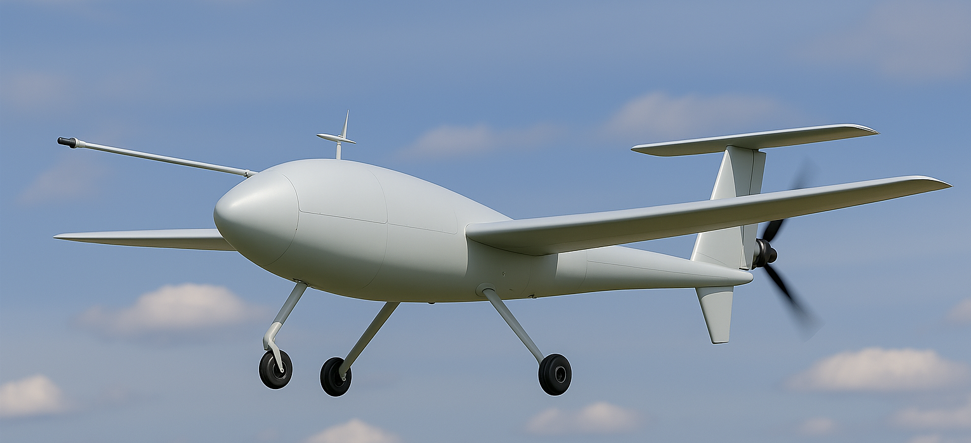
When installing Pitot static probe (or individual pitot and static port) it is important to try to limit any unwilling effect due to fuselage and boundary layer. Other disturbing effect could be linked to vehicle angle of attack (or sideslip) and or to aircraft speed (on the static pressure). Usually the further the Pitot/Static probe is positioned from the vehicle the better it is. It is done by using an L shape mounting feature or even better a dedicated Airdata Boom. In any case, ideal positioning of airdata probe is complex topic and often requires intensive simulation and some test campaign to confirm the data validity.
Example of a fixed wing UAV with a dedicated Air Data Boom
Electrical connections
Data input connection
Regarding the data input, a simple serial connection is generally used, by connecting the air data computer serial port to one of the SBG INS available serial ports (eg. PORT B Rx), either in RS-232 or in RS-422. It is also possible to use an ethernet connection between the air data computer and the SBG product.
Synchronization between AirData Computer and INS
When used as an input, the TIME_STAMP field of the message may either represent an absolute time or a measurement delay, depending on the status flags.
The measurement delay allows the INS to calculate an absolute timestamp based on the reception time, transmission delay, and the specified delay.
Software configuration
Aiding Assignment
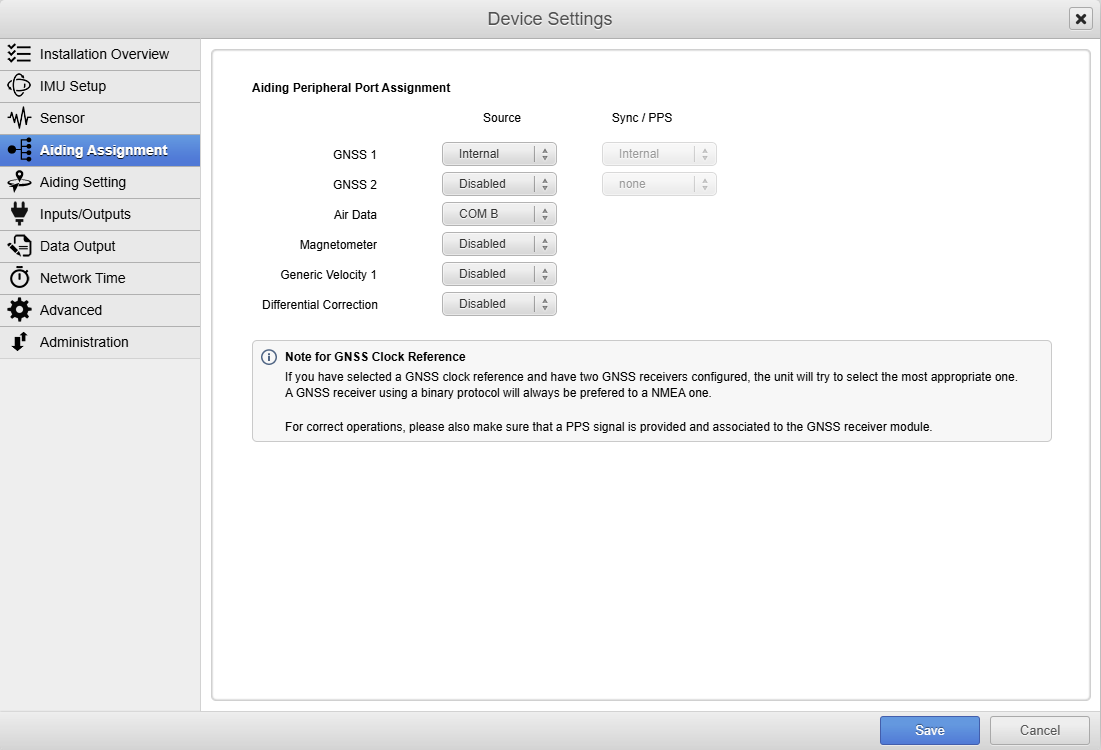
Once a compatible motion profile is selected (Airplane of Fixed wing UAV) you can activate air data by selecting a dedicated source.
Aiding Settings
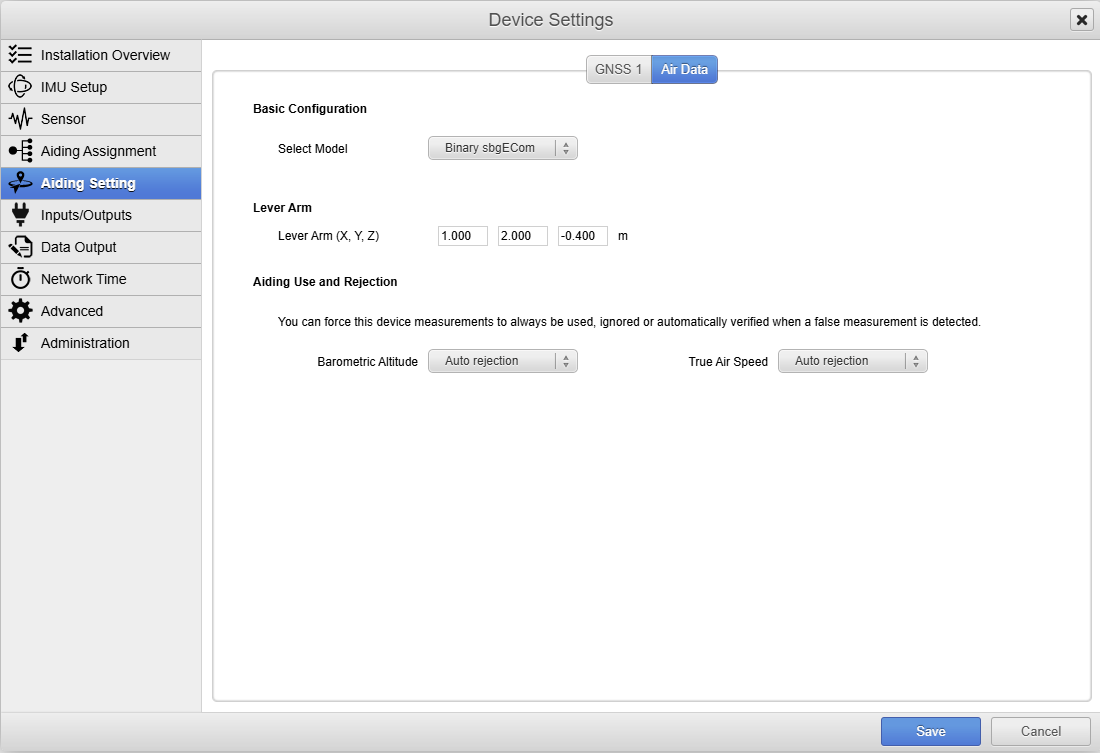
Then you can configure the Lever arm of the Pitot (expressed in the vehicle reference frame from the SBG INS reference point to the Pitot port).
The Aiding rejection Automatic is advised so the Kalman filter determines the confidence of this parameter by itself.
Input / Output
COM Ports
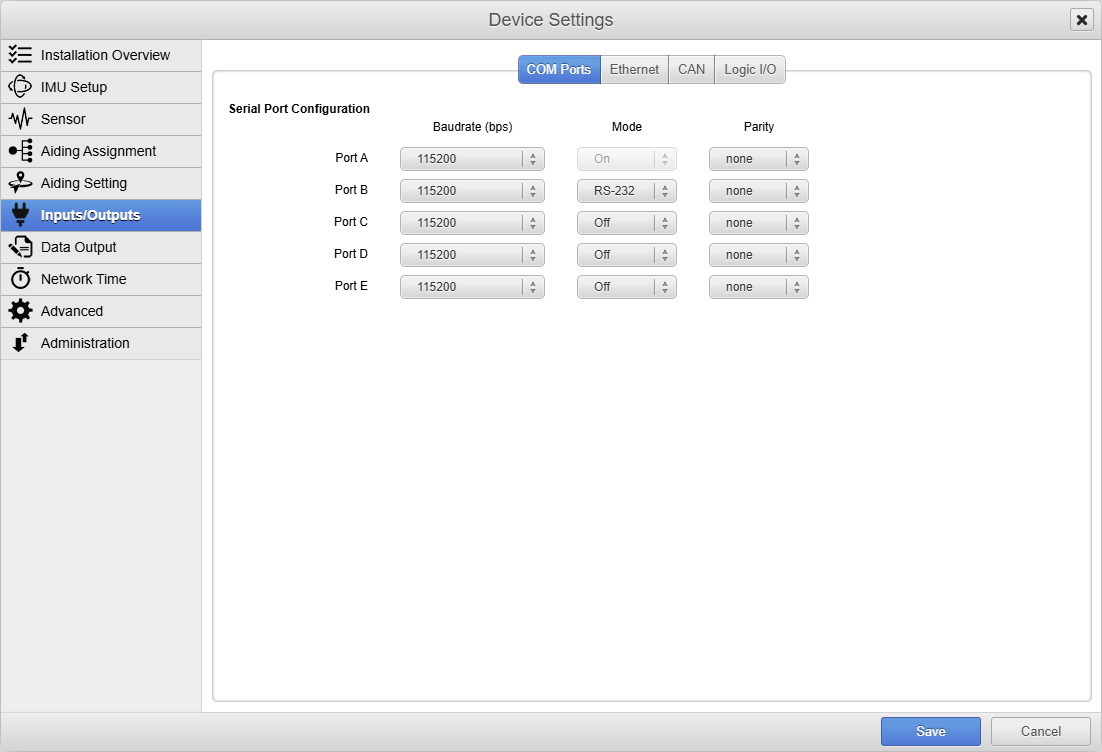
If serial connection is used, selected com port need to be configured in accordance to your Air Data Computer.
Data Output
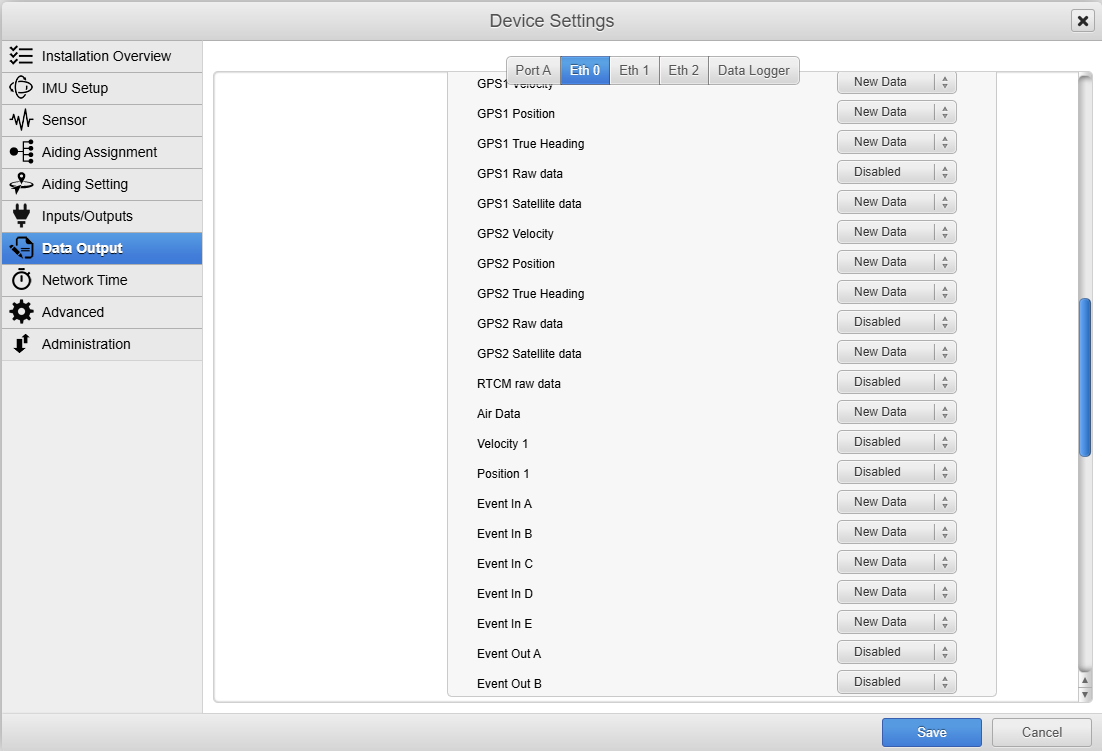
If you want to also output (or log) the air data message, you can output it (or log it) by activating the dedicated message.
Operation
Installation Overview
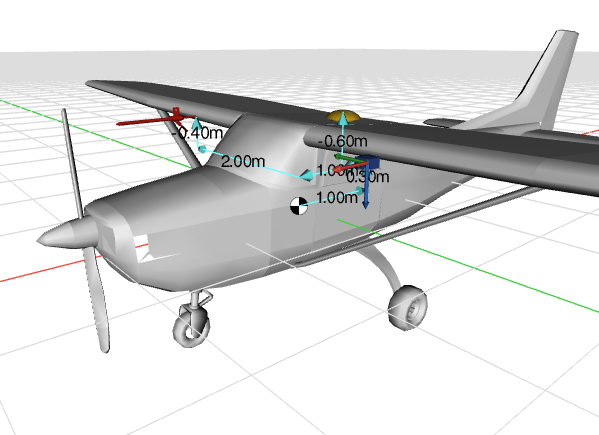
Depending of the selected motion profile you will see a mockup of the vehicle and the different aiding elements positioned with the declared lever arms.
Data check
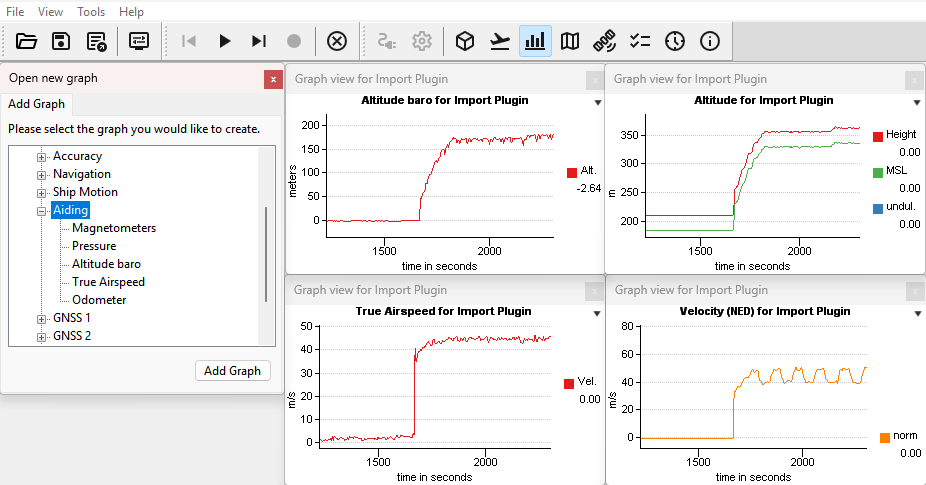
Once configured, it is recommended to check the availability and the order of magnitude of the data received. If the Air Data message is activated on Eth 0 as an output, you can plot it using SBG Center.

Although not an exhaustive test, slightly increasing the pressure on the pitot port can be done to verify that the system is working. Best practice is to use a dedicated pressure simulator and its mounting feature to do this pressure increase.